8 Best When I Work Alternatives for Time Tracking (2026)

By Steve Holmes, Founder & CEO, Embedded Iron Inc.
Quick summary: When I Work is a strong employee scheduler that also tracks time. But if your real need is time tracking — accurate clock-in, job costing, clean reports — you may be paying for a scheduling tool you didn't come for. Here are the 8 best When I Work alternatives for 2026, starting with the one we build, BizyClock.
Looking for a When I Work alternative?
When I Work is built scheduling-first: its core job is helping managers build, publish, and swap shifts. Time tracking is added alongside that. The catch for time-tracking-led teams is twofold: time tracking isn't in the cheapest plan, and you're adopting a whole scheduling platform to get to the clock-in feature you actually wanted.
If your priority is "who worked, on what, for how long" — not shift swaps — these alternatives put time tracking at the center.
The shortlist
Tool | Best for | Why it's here |
|---|---|---|
BizyClock | Time-tracking-first small & mid teams | Clock-in, kiosk, job costing, and reports without a scheduling layer to navigate |
OnTheClock | No-frills time clock | Simple employee clock with GPS in the base plan |
QuickBooks Time | QuickBooks-based payroll | Time data flows straight into QuickBooks |
Why trust us
We build BizyClock, so we're biased — and we'd rather say so than hide it. We also talk every day with the people weighing these tools: solopreneurs and small-to-mid teams who need dependable time data, not another platform to administer. We'll point you to a competitor when it's genuinely the better fit. This list is here to help you decide.
What is When I Work?
When I Work is an employee scheduling and team-management app, with time tracking offered alongside scheduling. Core capabilities include:
Drag-and-drop shift scheduling with availability and swaps
Team messaging and shift notifications
Time tracking and a clock-in terminal (on higher plans)
Payroll and POS integrations
Per-user pricing, typically ~$2.0–$6/user/month (USD)
It's best for shift-based businesses whose biggest daily task is building schedules. (Verify current plan inclusions and pricing on When I Work's site — note that time tracking may require a higher tier.)
Why consider a When I Work alternative?
Time tracking isn't the headline feature. It's added next to scheduling, not the core.
Clock-in may need a higher plan. The cheapest tier often doesn't include time tracking.
You may not need a scheduler at all. If shifts aren't your pain point, much of the product goes unused.
Simplicity drives clean data. A focused time-tracking app is easier to roll out and harder to get wrong.
Job costing & reporting depth. Time-first tools often give richer job/cost reporting than a scheduling-first one.
The 8 best When I Work alternatives in 2026
Tool | Best for | Trial / free | Pricing (USD) | G2 (≈) |
|---|---|---|---|---|
BizyClock | Time-tracking-first small & mid teams | 30-day guarantee | From $6/mo; no base fee | New |
QuickBooks Time | QuickBooks payroll | Trial only | Base fee + ~$10/user | 4.5 |
Deputy | Scheduling + compliance | Trial | Per-user, scales up | 4.6 |
Connecteam | Deskless/field, all-in-one | Yes (≤10 users) | From ~$29/mo (≤30 users) | 4.6 |
Toggl Track | Simple project time tracking | Yes (≤5 users) | ~$9–$18/user/mo | 4.6 |
Clockify | Freelancers/projects | Yes (≤5 users) | ~$4.99–$14.99/user/mo | 4.5 |
Buddy Punch | Punch fraud prevention | Trial | ~$4.49/user + $19/mo base | 4.8 |
OnTheClock | No-frills small-biz time clock | Trial (≤2 free) | ~$5 base + $4/user | 4.7 |
1. BizyClock — best for time-tracking-first teams
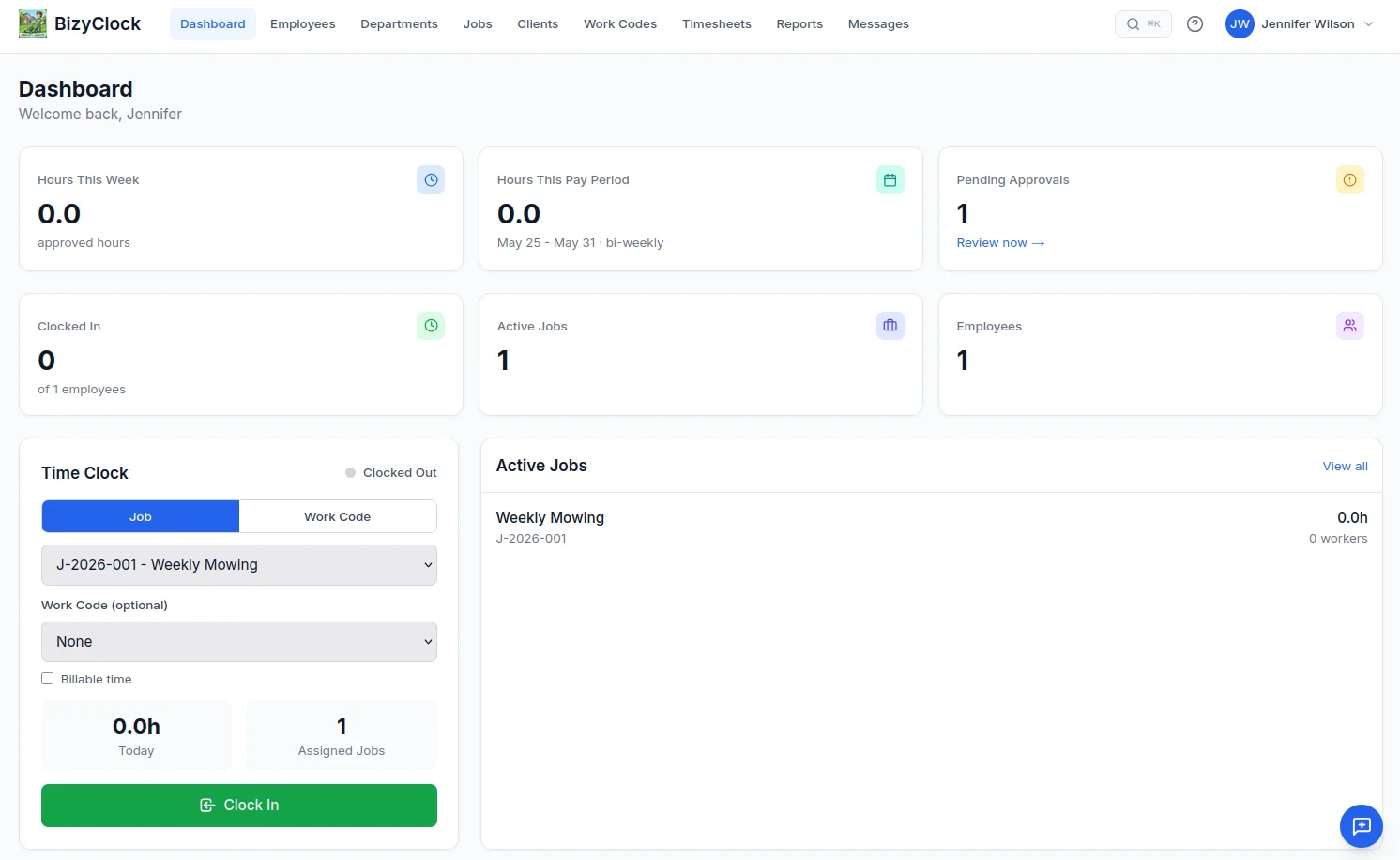
BizyClock is employee time tracking built for solopreneurs and small-to-mid teams who want the clock-in job done beautifully — without adopting a scheduling platform to get there. Fast clock-in across iOS, Android, web, and kiosk; job costing; and reports your accountant will understand, at a price that stays predictable as you grow.
"We didn't need shift scheduling — we needed accurate hours by job. BizyClock gave us exactly that, minus the clutter." Arch M - GTS
Key features:
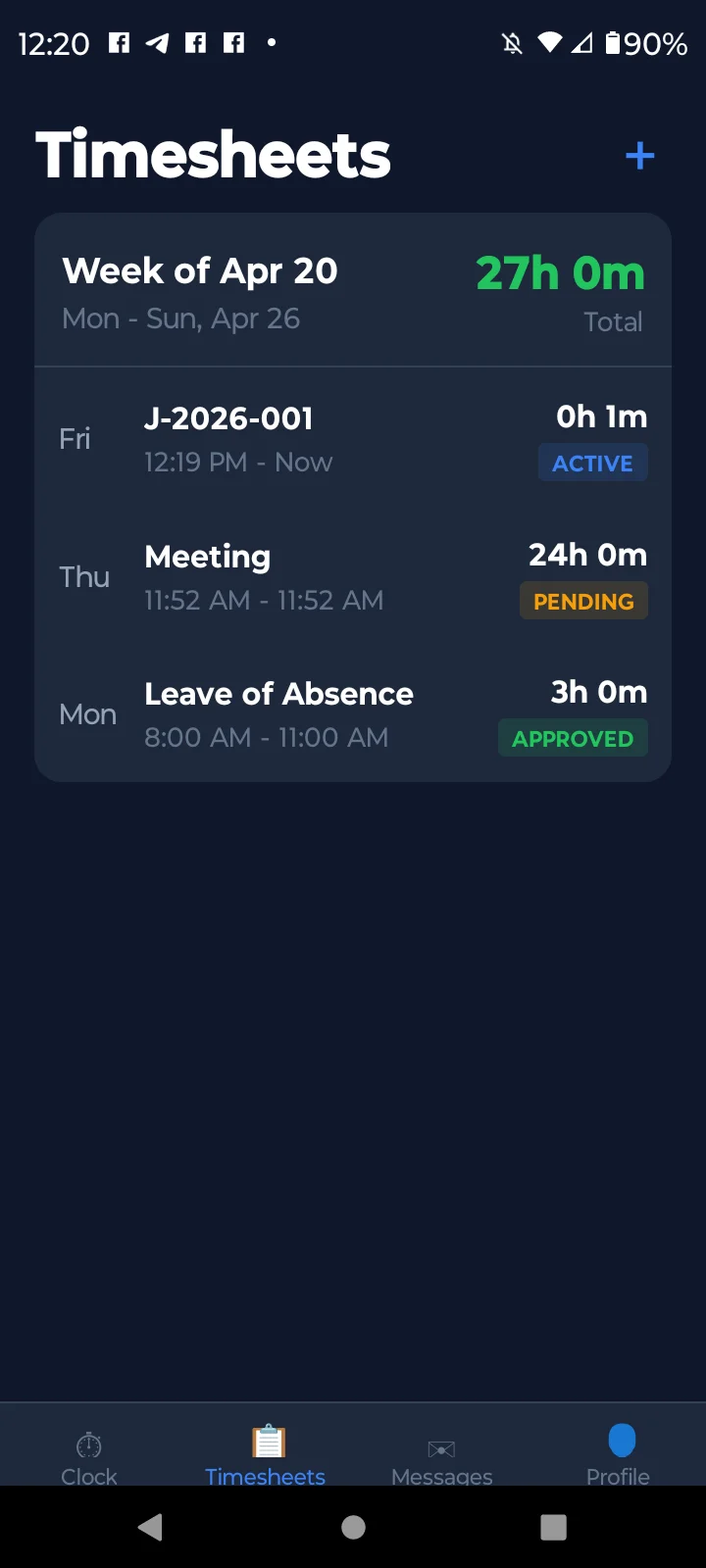
Three ways to clock in: native iOS and Android apps, the web dashboard, or a shared-device kiosk
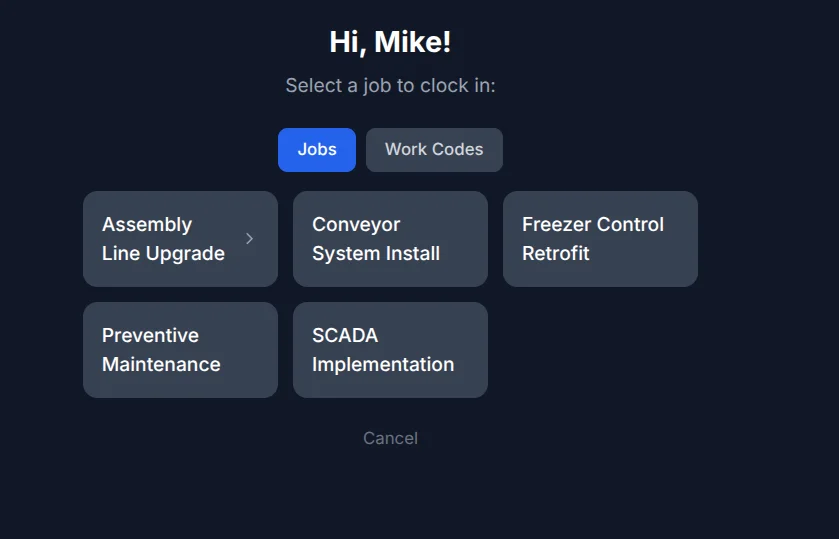
Kiosk mode with quick 4-digit PIN sign-in for shared tablets (Team plans and up)
Optional GPS capture at clock-in/out — owner-controlled and off by default (all plans)
Job & project tracking, with full job costing, budgets, and bill/cost rates (Business)
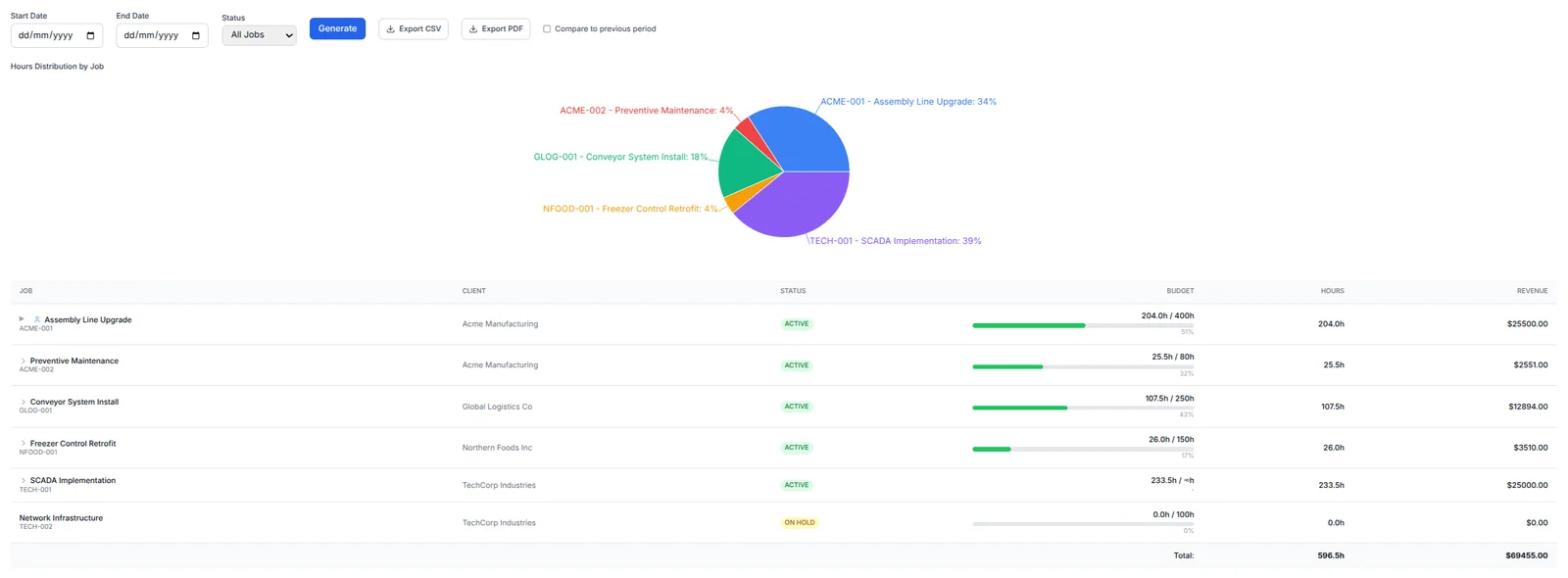
Reports on every plan (timesheets, job hours); add employee hours, overtime & attendance (Team+), plus utilization & job-costing reports (Business) — export to branded PDF or CSV
Scheduled email reports and full data backup & restore (Business)
AI assistant: ask plain-English questions about your time data — no SQL, no pivot tables (Business)
What it offers over When I Work: Time tracking is the product, not a side feature bolted onto a scheduler — and it's there from the entry plan, not gated behind a higher scheduling tier. If you don't need a scheduler, you don't pay for one.
Pricing (USD): Solo $6/mo, Team $8/user/mo, Business $10/user/mo (about a third less paid annually) — no base fee. There's no free trial; instead, every plan is backed by a 30-day money-back guarantee.
Get started — 30-day money-back guarantee →
2. QuickBooks Time — best for QuickBooks payroll
QuickBooks Time (formerly TSheets) feeds hours straight into QuickBooks payroll and accounting. Great if your books already live there. There's no free plan, and pricing uses a base fee plus a per-user charge.
What it offers over When I Work: Native QuickBooks payroll flow. Choose BizyClock instead if you don't use QuickBooks and want simpler, cheaper time tracking.
3. Deputy — best for scheduling & compliance
Deputy is a robust scheduling and labor-compliance platform with solid time tracking, popular with larger or regulated teams. It handles award/overtime rules, breaks, and compliance well — a credible like-for-like if scheduling is genuinely your need.
What it offers over When I Work: Deeper compliance and enterprise-grade scheduling. Choose BizyClock instead if you're a small/mid team that wants time tracking without a scheduling platform to administer.
4. Connecteam — best all-in-one for deskless teams
Connecteam combines time tracking, scheduling, communication, and light HR, with a free tier for up to 10 users and plans from ~$29/month for up to 30. Ideal for field and frontline crews.
What it offers over When I Work: A free small-business tier and broader operations tooling. Choose BizyClock instead if the breadth is more than you'll use.
5. Toggl Track — best for simple project time tracking
Toggl Track is beloved for its frictionless one-click timers and clean reporting, with a free tier for up to 5 users and paid plans around ~$9–$18/user/month. Its focus is project and billable-hours tracking rather than employee clock-in.
What it offers over When I Work: Effortless, low-friction time tracking for project work. Choose BizyClock instead if you need an employee time clock with kiosk, PIN sign-in, and job costing rather than a personal project timer.
6. Clockify — best for freelancers & project work
Clockify is a project timer with a long-loved free plan (now capped at 5 users as of April 2026) and paid tiers ~$4.99–$14.99/user/month. Its strength is billable-hours tracking.
What it offers over When I Work: A low-cost project-tracking entry point. Choose BizyClock instead if you need an employee time clock with kiosk and job costing.
7. Buddy Punch — best for punch fraud prevention
Buddy Punch emphasizes accountable punches: GPS, photo/facial recognition, and IP rules. Pricing is ~$4.49/user plus a ~$19/month base fee.
What it offers over When I Work: Stronger anti-buddy-punching controls. Choose BizyClock instead if you don't need heavy verification or the base fee.
8. OnTheClock — best no-frills time clock
OnTheClock is a straightforward employee time clock with GPS in the base plan, around ~$5 base + $4/user, with a free tier for very small teams.
What it offers over When I Work: Simpler and time-focused, no scheduling layer. Choose BizyClock instead if you want a more modern interface plus job costing and AI-assisted reporting.
How to choose the right When I Work alternative
You want time tracking first, not scheduling → BizyClock
You run payroll in QuickBooks → QuickBooks Time
You need scheduling + compliance → Deputy
You manage deskless/field crews → Connecteam
You bill by project → Toggl Track or Clockify
You need strict punch verification → Buddy Punch
You want a no-frills time clock → OnTheClock
If your real need is reliable clock-in, kiosk mode, job costing, and clean reports — and a scheduler would just be in the way — that's exactly what we built BizyClock to do.
Compare feature-by-feature on our comparison page, browse the full feature list, or check pricing.