8 Best Homebase Alternatives for Small Business (2026)

By Steve Holmes, Founder & CEO, Embedded Iron Inc.
Quick summary: Homebase is a friendly all-in-one for hourly teams — scheduling, time tracking, hiring, and messaging, with a free single-location tier. But the breadth and per-location pricing aren't right for everyone. Here are the 8 best Homebase alternatives for 2026, starting with the one we build, BizyClock.
Looking for a Homebase alternative?
Homebase does a lot: schedules, time clock, hiring, team chat, and more, all aimed at hourly and shift-based businesses. That breadth is its appeal — and also why some teams look elsewhere. Common reasons: per-location pricing that can climb if you run multiple sites, paid features layered on top of the free tier, and a product that does far more than "track time accurately" if that's all you actually need.
If you want focused time tracking with clean reporting — without the shift-management and hiring suite — these alternatives are worth a look.
The shortlist
Tool | Best for | Why it's here |
|---|---|---|
BizyClock | Focused time tracking for small & mid teams | Clock-in, kiosk, job costing, and reports with simple per-seat pricing |
Connecteam | Deskless/field teams | All-in-one with a free tier for up to 10 users |
Harvest | Client-billing teams & agencies | Time tracking with built-in invoicing and expenses |
Why trust us
We build BizyClock, so we're biased — and we'd rather be honest about it. We also spend our days with the people comparing these tools: solopreneurs and small-to-mid teams who want dependable time data without a sprawling platform to manage. When a competitor fits your situation better, we'll say so. This list is meant to genuinely help you choose.
What is Homebase?
Homebase is an all-in-one team-management app for hourly and shift-based businesses. Core capabilities include:
Employee scheduling with shift swaps and availability
Time clock with a free single-location tier
Hiring and onboarding tools
Team messaging and labor-cost forecasting
Optional payroll add-on (typically a base fee plus a per-employee charge)
It's best for restaurants, retail, and other hourly teams that want scheduling and time tracking together. (Pricing as of 2026: free for one location, with paid per-location plans up to roughly $100/location/month — verify on Homebase's site.)
Why consider a Homebase alternative?
Per-location pricing. Friendly as you add staff to one site, but it can climb fast across multiple locations.
More tool than some teams need. Hiring, chat, and scheduling are great — unless you just want a time clock.
Free tier has limits. The most useful capabilities live on paid plans.
Focused tools roll out cleaner. A dedicated time-tracking app is easier to adopt and harder to misuse.
Job costing & reporting. Time-first tools often give sharper job/cost reporting than an all-in-one.
The 8 best Homebase alternatives in 2026
Tool | Best for | Trial / free | Pricing (USD) | G2 (≈) |
|---|---|---|---|---|
BizyClock | Focused time tracking for small & mid teams | 30-day guarantee | From $6/mo; no base fee | New |
QuickBooks Time | QuickBooks payroll | Trial only | Base fee + ~$10/user | 4.5 |
When I Work | Scheduling-first teams | Trial | ~$2.50–$8/user/mo | 4.3 |
Connecteam | Deskless/field, all-in-one | Yes (≤10 users) | From ~$29/mo (≤30 users) | 4.6 |
Harvest | Client billing & agencies | Yes (1 seat) | ~$11/user/mo | 4.3 |
TimeCamp | Automatic tracking & billable hours | Yes (basic) | ~$2.99–$7.99/user/mo | 4.7 |
Toggl Track | Simple project time tracking | Yes (≤5 users) | ~$9–$18/user/mo | 4.6 |
Hubstaff | Remote/field productivity tracking | Yes (1 user) | ~$4.99–$10/user/mo | 4.5 |
1. BizyClock — best for focused time tracking
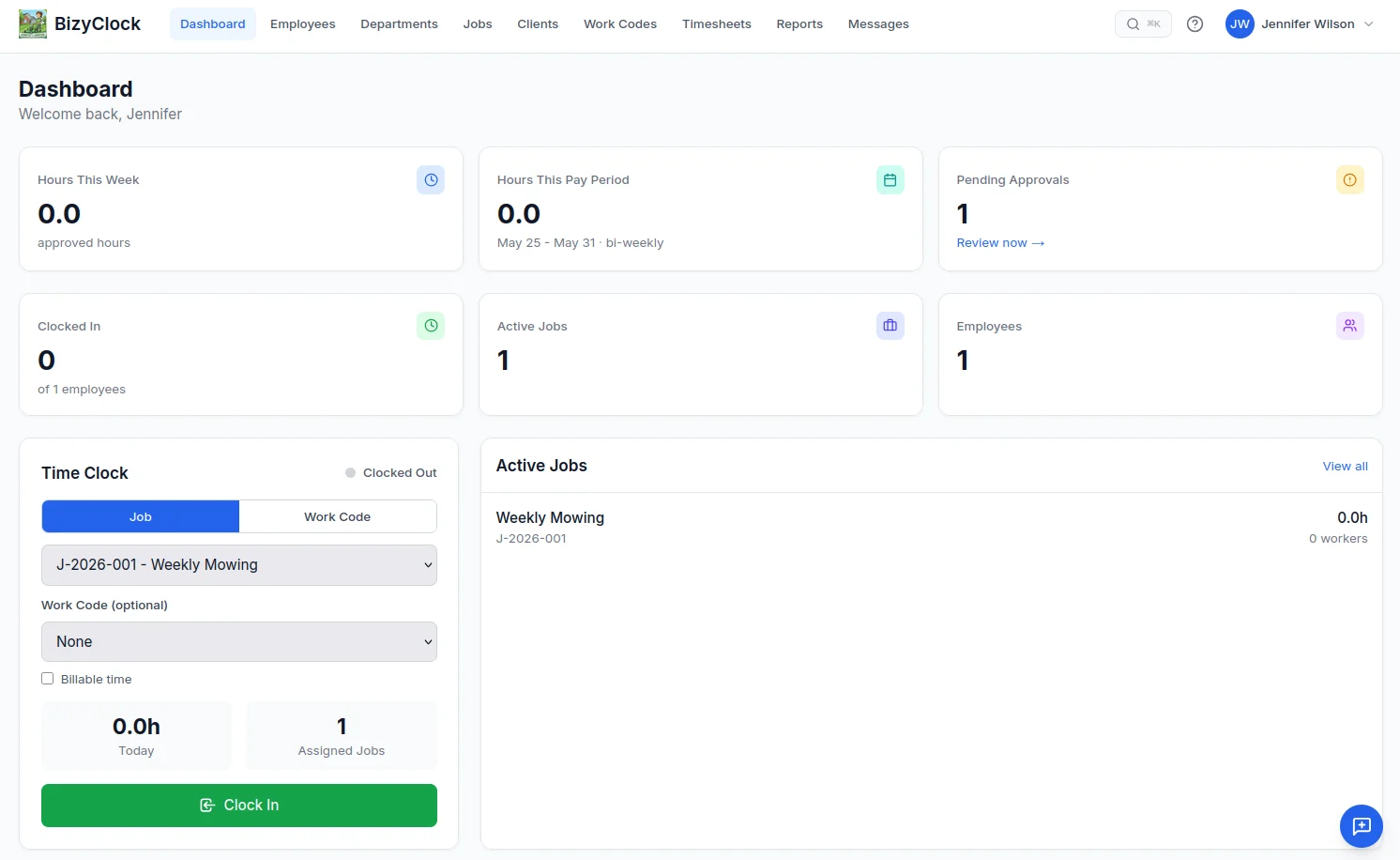
BizyClock is employee time tracking built for solopreneurs and small-to-mid teams who want the core job done beautifully — without a full workforce-management suite. Fast clock-in across iOS, Android, web, and kiosk; job costing; and reports your accountant will understand, with per-seat pricing that doesn't multiply by how many locations you run.
"We loved how little there was to set up. Staff clock in, the jobs add up, and the reports are easy to use." Mich G, Global Controls "
Key features:
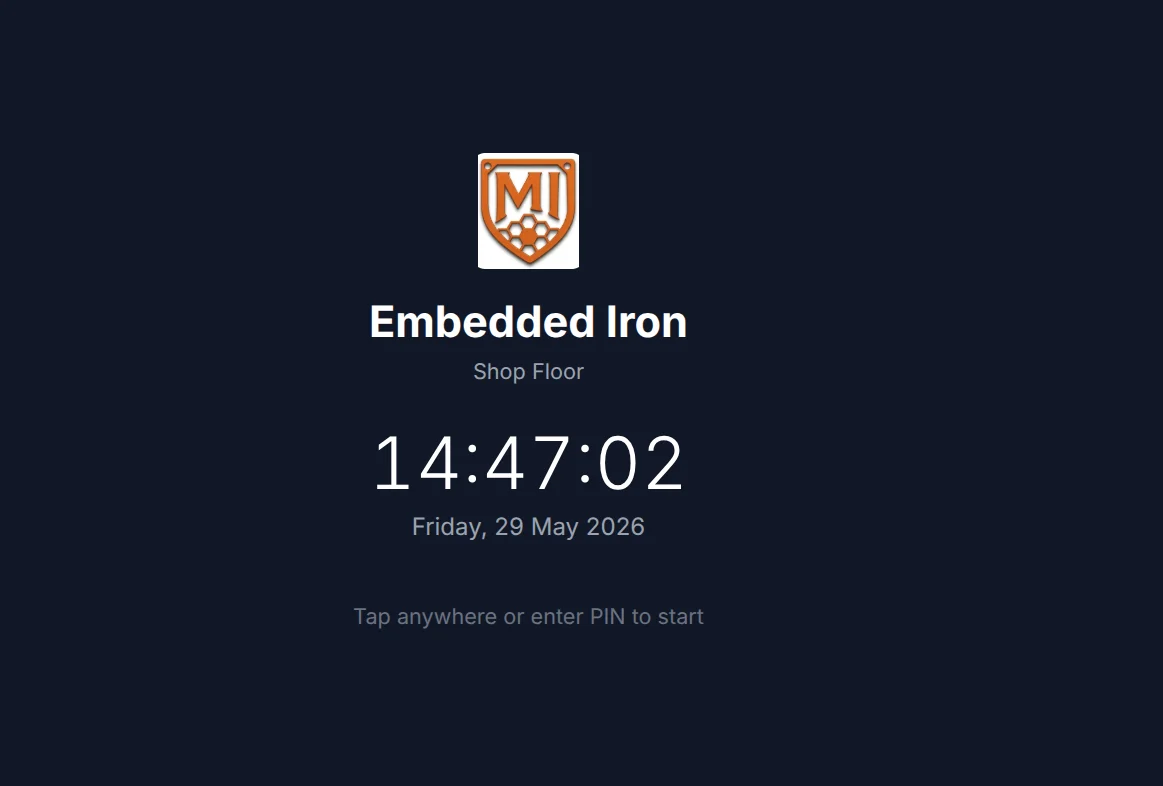
Three ways to clock in: native iOS and Android apps, the web dashboard, or a shared-device kiosk

Kiosk mode with quick 4-digit PIN sign-in for shared tablets (Team plans and up)
Optional GPS capture at clock-in/out — owner-controlled and off by default (all plans)
Job & project tracking, with full job costing, budgets, and bill/cost rates (Business)
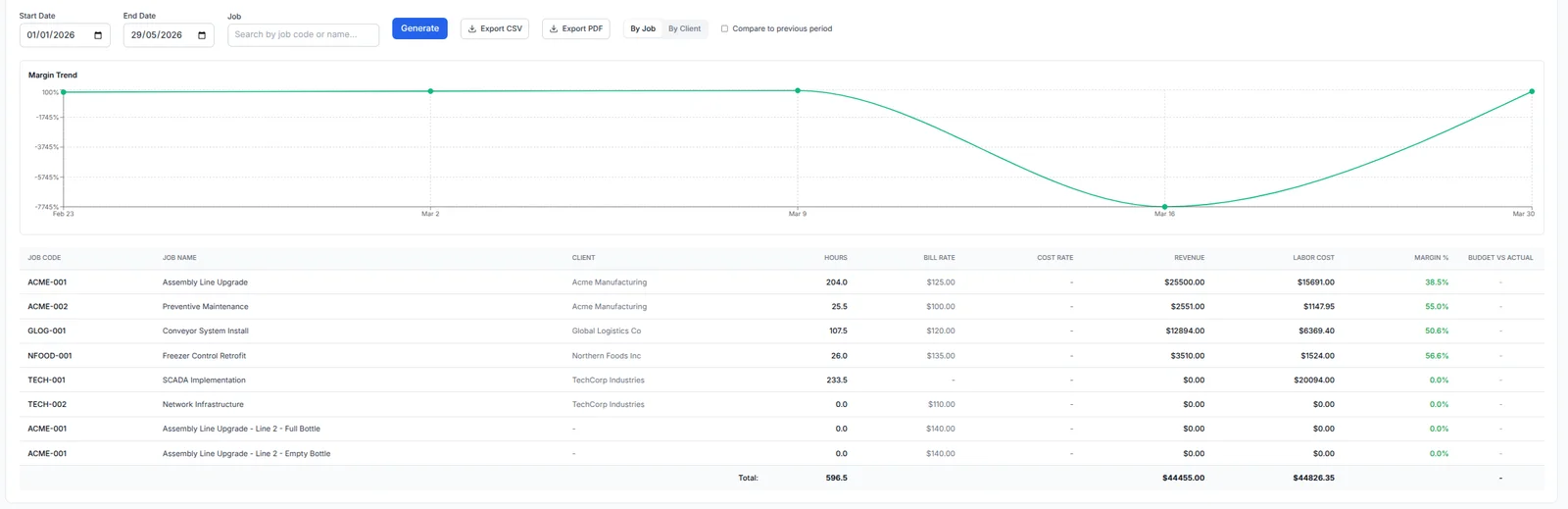
Reports on every plan (timesheets, job hours); add employee hours, overtime & attendance (Team+), plus utilization & job-costing reports (Business) — export to branded PDF or CSV
Scheduled email reports and full data backup & restore (Business)
AI assistant: ask plain-English questions about your time data — no SQL, no pivot tables (Business)
What it offers over Homebase: Per-seat pricing instead of per-location, and a tool focused on time tracking rather than scheduling, hiring, and chat. You get sharp job costing and reporting without navigating around features you don't use.
Pricing (USD$): Solo $6/mo, Team $8/user/mo, Business $10/user/mo (about a third less paid annually) — no base fee, and no per-location charge. There's no free trial; instead, every plan is backed by a 30-day money-back guarantee. (Confirm current prices on our pricing page.)
Get started — 30-day money-back guarantee →
2. QuickBooks Time — best for QuickBooks payroll
QuickBooks Time feeds hours straight into QuickBooks payroll and accounting — ideal if your books already live there. No free plan, and pricing uses a base fee plus a per-user charge.
What it offers over Homebase: Native QuickBooks payroll flow. Choose BizyClock instead if you don't use QuickBooks and want simpler, cheaper time tracking.
3. When I Work — best for scheduling-first teams
When I Work centers on scheduling, with time tracking alongside. Per-user pricing runs ~$2.50–$8/user/month, and time tracking may require a higher tier.
What it offers over Homebase: Strong, focused scheduling. Choose BizyClock instead if you want time tracking without a scheduling platform.
4. Connecteam — best all-in-one for deskless teams
Connecteam blends time tracking, scheduling, communication, and light HR, with a free tier for up to 10 users and plans from ~$29/month for up to 30. A favorite for field and frontline crews — and the closest like-for-like to Homebase's all-in-one approach.
What it offers over Homebase: A free small-business tier and a deep mobile-first toolkit. Choose BizyClock instead if the breadth is more than you'll use and you want a cleaner, time-focused tool.
5. Harvest — best for client billing & agencies
Harvest pairs time tracking with built-in invoicing and expense tracking, making it a favorite for agencies, consultancies, and freelancers who bill clients for their hours. There's a free single-seat plan and paid pricing around ~$11/user/month.
What it offers over Homebase: Time-to-invoice billing built in — log hours, then bill the client directly. Choose BizyClock instead if you need an employee time clock with kiosk and job costing rather than a client-billing time sheet.
6. TimeCamp — best for automatic tracking & billable hours
TimeCamp leans on automatic time tracking — capturing app and website activity — plus billing, invoicing, and a long list of integrations. It offers a free basic tier and affordable paid plans around ~$2.99–$7.99/user/month.
What it offers over Homebase: Hands-off automatic tracking and strong billable-hours reporting. Choose BizyClock instead if you want deliberate employee clock-in (kiosk, PIN, job costing) rather than passive activity capture.
7. Toggl Track — best for simple project time tracking
Toggl Track is beloved for its frictionless one-click timers and clean reporting, with a free tier for up to 5 users and paid plans around ~$9–$18/user/month. Its focus is project and billable-hours tracking rather than employee clock-in.
What it offers over Homebase: Effortless, low-friction time tracking for project work. Choose BizyClock instead if you need an employee time clock with kiosk, PIN sign-in, and job costing.
8. Hubstaff — best for remote & field productivity tracking
Hubstaff pairs time tracking with optional productivity monitoring — activity levels, screenshots, GPS, and geofencing — aimed at remote and distributed teams. Pricing typically runs ~$4.99–$10/user/month with a free single-user tier.
What it offers over Homebase: Deeper remote-work visibility and field GPS tracking. Choose BizyClock instead if you want straightforward time tracking without monitoring your team's every screen.
How to choose the right Homebase alternative
You want focused time tracking with simple pricing → BizyClock
You run payroll in QuickBooks → QuickBooks Time
Scheduling is your main pain → When I Work
You manage deskless/field crews → Connecteam or Hubstaff
You bill clients for time → Harvest or TimeCamp
You want simple project time tracking → Toggl Track
If you want reliable clock-in, kiosk mode, job costing, and clean reports — with per-seat pricing that doesn't multiply by location — that's exactly what we built BizyClock to do.
Compare feature-by-feature on our comparison page, browse the full feature list, or check pricing.