Time Tracking & Job Costing
Track time.
Manage jobs.
Run your business.
Employees clock in, supervisors approve, admins run payroll reports. One tool that does it all without the complexity.
30-day money-back guarantee. No questions asked.
What is BizyClock?
BizyClock is employee time-tracking software for small and mid-sized businesses in the United States and Canada, from 1 to 500 employees. Employees clock in by phone, web browser, or a shared tablet kiosk; supervisors approve timesheets; admins export payroll-ready reports with overtime, paid leave, and job costing already applied. Plans start at $6 per user per month (USD; $8 CAD), with a 30-day money-back guarantee.


Everything you need to track time accurately
Built for solopreneurs, small, and mid-sized companies that need powerful time tracking without the complexity.
Three Ways to Clock In
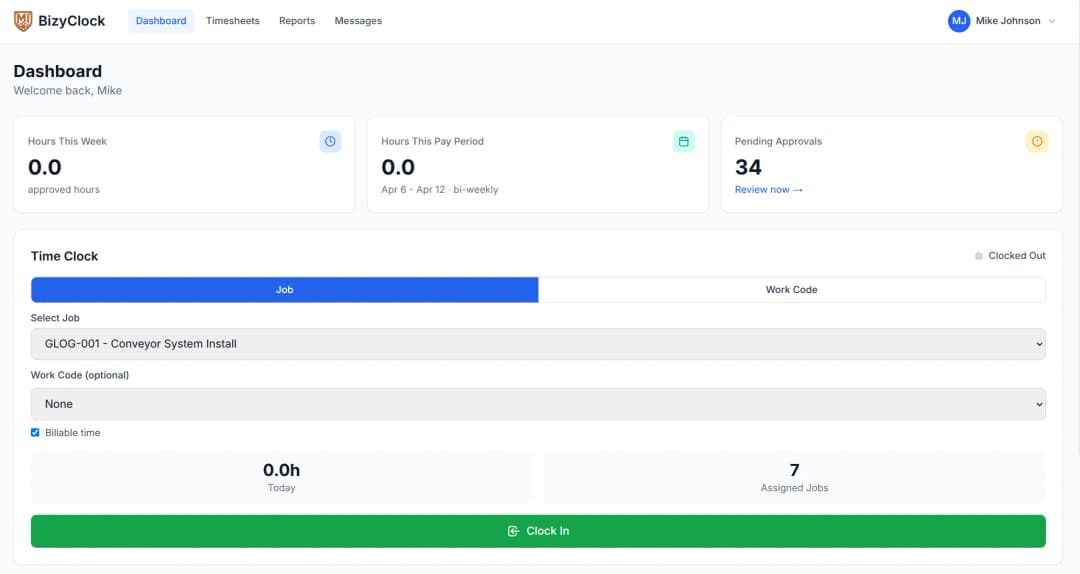
Clock in from your phone, web browser, or a shared kiosk — whatever fits your team. One tap, and you’re on the clock.
Optional GPS Verification
Enable GPS tracking based on your company’s policies. When turned on, every clock event captures location automatically for a complete audit trail.
Kiosk Time Clock
Turn any tablet or computer into a shared time clock. Employees punch in with a secure PIN — ideal for job sites, shop floors, warehouses, and retail locations.
Supervisor Approval Workflow
Time entries flow through a built-in approval process. Supervisors approve or reject with one click, keeping timesheets accurate before payroll.
Job Costing & Budgets
Organize work into multi-level job hierarchies with budgets, bill rates, and cost tracking. Know exactly where every labor dollar goes across projects and clients.
Automated Overtime & Break Rules
Configure daily, weekly, and double-time thresholds to calculate overtime automatically. Set break deduction rules and let the system handle compliance.
Payroll-Ready Reports & Exports
Generate timesheets, job cost reports, overtime summaries, and more. Export to CSV or PDF, schedule automated delivery, and filter by employee, department, or date range.
Team Messaging & Notifications
Send direct messages, broadcast company-wide announcements, and get real-time push notifications. Keep your entire team connected without a separate app.
Native Android and iOS Apps
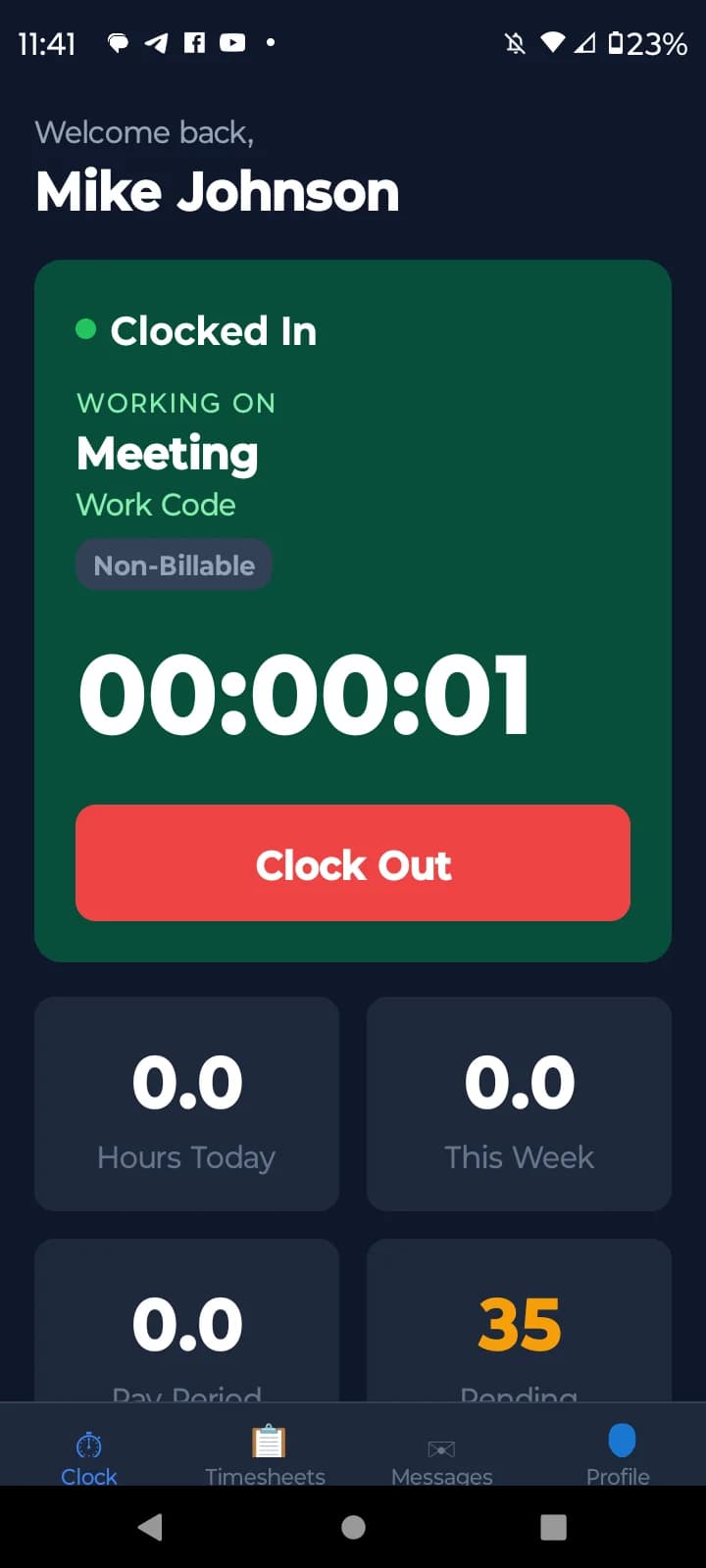
Native Android and iOS Apps for field workers and remote teams. Clock in from anywhere, view timesheets, manage entries, and message your team — all from your phone.
How BizyClock works for your business
From accurate job costing to timesheet reports that streamline your payroll, every feature is designed to save you time and money.
Track Every Job Dollar with Confidence
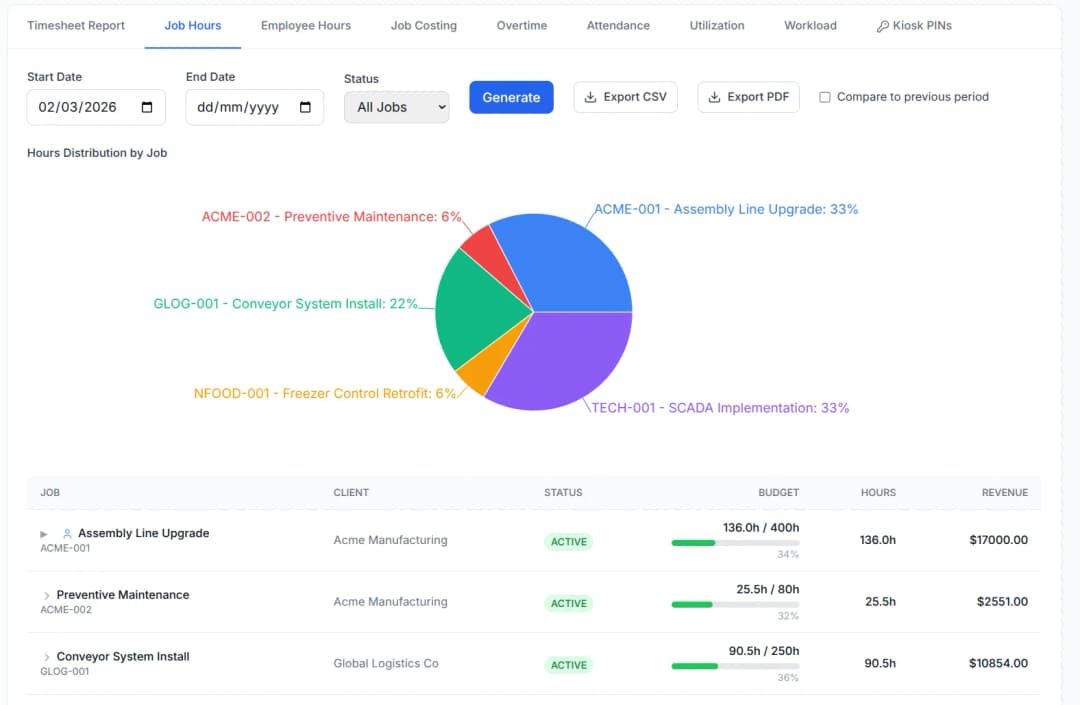
Accurate time tracking feeds directly into job costing — assign hours to specific jobs, compare actual vs. budgeted hours, and see exactly which projects are profitable. Multi-level job hierarchies let you track costs from the project level down to individual tasks.
- Multi-level job hierarchies with budgets and bill rates
- Real-time hours vs. budget tracking per project
- 8+ report types including job costing, overtime, and utilization
From Clock-In to Payroll in Minutes
Streamline your entire time-to-pay pipeline. Employees clock in, supervisors approve entries, overtime is calculated automatically, and reports export in the format your payroll provider needs. Eliminate manual data entry, reduce errors, and close out pay periods faster.
- Automated overtime and break rule calculations
- One-click supervisor approvals with rejection tracking
- CSV and PDF exports ready for any payroll provider
Your Team, Your Way — Office, Field, or Remote
Whether your team is in an office, on a job site, or working remotely, BizyClock adapts. Use the mobile app in the field, the web app at your desk, or set up a kiosk at a shared location. Optional GPS verification gives you accountability when your policies require it.
- Native Android and iOS apps - clock in from anywhere
- Tablet kiosk mode with secure PIN entry
- Real-time team messaging and push notifications
15 industries & trades
Built for the way you work
Whether you bill clients by the hour, cost time to jobs on site, or run payroll for a remote team, there's a BizyClock setup that fits.


Take BizyClock with you
Clock in, view timesheets, and message your team from anywhere with the native iPhone and Android apps.
First time here? Create your account on this website, then download the app and sign in with the same email and password — your data syncs automatically.

Hi, I'm Steve.
I'm the creator of BizyClock. If you've ever hired someone, you already know the pain: getting people to fill out their timesheets is like pulling teeth. There's always an excuse — too busy, forgot, “I'll do it Friday” — and somehow it lands on you to chase it all down before payroll.
That's exactly why I built BizyClock. I wanted time tracking that was so simple there were no excuses left — clock in from your phone, the field, or a shared kiosk in seconds, and let the reports and payroll math take care of themselves.
I run my own company and use BizyClock every day. If it's missing something you need, email me at support@bizyclock.com or join our community at r/bizyclock — I read every message personally.

Steve Holmes
Founder & CEO, Embedded Iron Inc.

Simple, transparent pricing
Plans start at CA$8/user per month.
Add clock-in-only crew for just CA$2.50/user — no full seat needed.
Prefer to pay once? A one-time Lifetime Deal is available for a limited time.
30-day money-back guarantee. No questions asked.
Frequently asked questions
Straight answers to the questions we hear most often.

What is BizyClock?
BizyClock is employee time-tracking software for small and mid-sized businesses in the United States and Canada, from 1 to 500 employees. Employees clock in by phone, web browser, or a shared tablet kiosk; supervisors approve timesheets; admins export payroll-ready reports with overtime, paid leave, and job costing already applied. Plans start at $6 per user per month (USD; $8 CAD), with a 30-day money-back guarantee.
What is the best time tracking app for a small business?
BizyClock is a time tracking app built specifically for small and mid-sized businesses that need employees to clock in reliably without chasing timesheets. Employees clock in from a mobile app, web browser, or a shared tablet kiosk, and hours flow straight into payroll-ready reports. It's designed for solopreneurs and teams up to 500 employees across construction, manufacturing, warehousing, and service industries.
How do I get my employees to actually fill out their timesheets?
Make clocking in so easy there are no excuses left. BizyClock lets staff clock in three ways — phone, web, or a shared tablet at the door — so field workers, shop workers, remote teams, and office staff all have a method that fits how they work. Push notifications remind them, and supervisors get a built-in approval workflow to catch missed or incorrect entries before payroll runs.
How much does employee time tracking software cost?
BizyClock offers tiered Solo, Team, Business, and Enterprise plans priced by employee count. There’s also a one-time Lifetime Deal that gives permanent access to all features plus future updates — no recurring fee. Every purchase is backed by a 30-day money-back guarantee.
Can employees clock in from their phone in the field?
Yes. BizyClock has native iOS and Android apps, so field and remote workers clock in and out from their phones anywhere. You can optionally enable GPS recording to confirm employees are on-site when they clock in, which is useful for construction, field service, and multi-location teams.
How do I track hours against specific jobs or projects?
BizyClock includes job costing with multi-level project hierarchies and budget tracking, so you can see exactly how many hours (and how much labor cost) go into each job or client. It’s built for contractors and service businesses that bill by project or need to know if a job is running over budget.
Does it calculate overtime and breaks automatically?
Yes. BizyClock applies your company's overtime and break rules automatically based on the policy you configure, so you don't have to do the math by hand. Hours, overtime, and breaks are totaled for you and exported straight into payroll.
Is there a time clock app that works on a shared tablet or kiosk?
Yes. BizyClock runs in kiosk mode on a shared tablet, so employees without a work phone can clock in from a single device at the job site or office entrance. This is popular for warehouses, shop floors, and construction sites where a shared clock-in point is easier than individual logins. There are discounted rates for Kiosk-only users.
How does BizyClock handle payroll and reporting?
BizyClock generates 8+ report types — hours, overtime, job costing, and more — that export as CSV or PDF for payroll. A full audit trail records every edit for compliance, and the supervisor approval step means the numbers are already reviewed before they reach payroll.
Is BizyClock good for construction or field service teams?
Yes. BizyClock is built for field-heavy industries like construction, warehousing, and service work. Mobile clock-in with optional GPS recording, job costing by project, and kiosk mode for shared devices cover the exact needs of teams that don’t sit at a desk. See plan details for kiosk-only user rates.
What's the difference between BizyClock's Lifetime Deal and the monthly plans?
The monthly and annual plans (Solo, Team, Business, and Enterprise) are subscriptions priced by employee count, while the Lifetime Deal is a single one-time payment for permanent access to all features of a plan with no recurring cost. Both come with a 30-day money-back guarantee — the Lifetime Deal will be only offered for a limited time.
How do I get support or request a feature?
There are three easy ways to reach us. Email support@bizyclock.com and we'll get back to you — we read every message personally. Join our community at reddit.com/r/bizyclock to ask questions, request features, and see what we're building next. Or, once you're signed in, use the Send Feedback button inside the app to report a bug, request a feature, or suggest an improvement in seconds. We're a small team, which means we're quick to respond and genuinely want your input on what to build next.
Still have questions? Get in touch.