Best QuickBooks Time Alternative for Contractors in 2026

By Steve Holmes, Founder & CEO, Embedded Iron Inc.
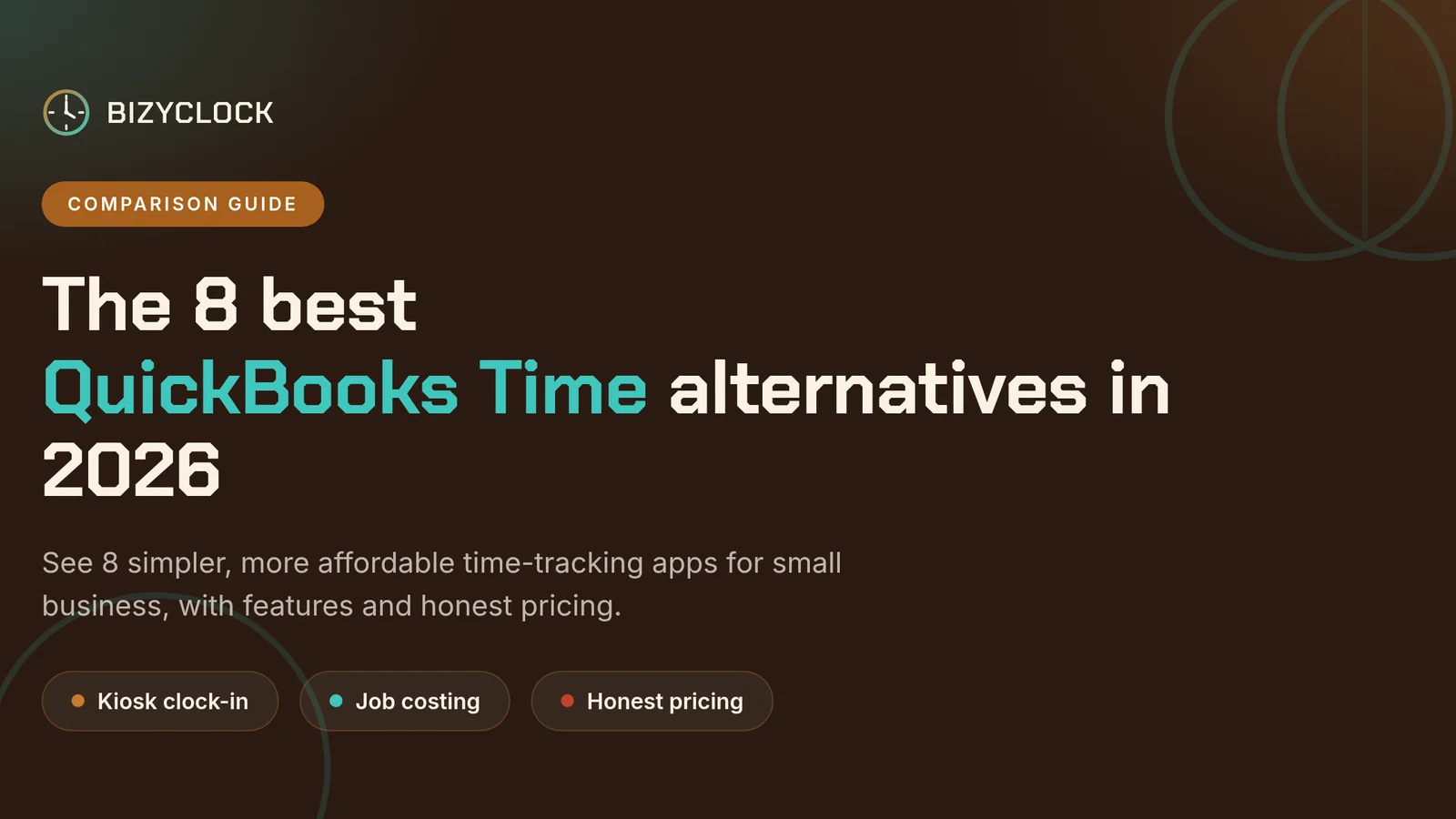
QuickBooks Time works best when your books, payroll, and accounting all live inside Intuit. But if you run a trades crew that clocks in on job sites, shares a tablet in the truck, and watches every payroll dollar, you may be paying for more tool than you need.
Maybe the per-user bill plus the base fee finally got your attention — especially after QuickBooks Time raised its per-employee rate 25% in July 2026. Maybe your foreman still can't explain why clocking in takes four taps. Or maybe you just want to see, at a glance, which job ate this week's hours. Whatever brought you here, you have good options.
This guide compares the best QuickBooks Time alternatives for contractors in 2026. We make BizyClock, and we won't pretend otherwise — but we'll also tell you when a competitor is the better fit.
The short version: for small-to-mid-size contractor crews that want dead-simple kiosk clock-in, job costing, and a lower per-seat bill, BizyClock is a strong QuickBooks Time alternative. OnTheClock is great if you just want a cheap GPS time clock. Connecteam wins if you need dispatch, checklists, and chat in the same app.
Not running a trades crew? See our broader roundup of the 8 best QuickBooks Time alternatives for every kind of small business.
Why contractors look past QuickBooks Time
QuickBooks Time (formerly TSheets) is a polished, payroll-connected time tracker. It shines when your payroll already runs through QuickBooks Online. But trades crews often run into three things:
1. A base fee on top of per-user pricing. QuickBooks Time Premium charges a $20 monthly base fee plus a per-user rate — and that per-user rate increased 25% (from $8 to $10) effective July 1, 2026. For a 12-person crew that's roughly $140 per month before add-ons, and it climbs every time you bring on another hand in the spring.
2. More tool than a small crew needs. Scheduling, mileage, PTO, geofencing — all useful, unless your real question is simply "who clocked in, on what job, for how long?"
3. Shared-device clock-in feels bolted on. You can set up a kiosk, it just takes more steps than tools that were built around a tablet in the trailer from day one.
If that sounds familiar, you don't need a cheaper copy of QuickBooks Time. You need a contractor-first time tracking app.
Quick comparison: QuickBooks Time alternatives for contractors
Tool | Best for | Est. monthly cost (12 users) | Kiosk mode | Job costing |
|---|---|---|---|---|
BizyClock | Trades crews who want simple setup and a lower per-seat bill | ~$96 (Team) – $120 (Business) | Yes — PIN-based shared tablet | Yes (Business plan) |
OnTheClock | Small crews needing GPS clock-in without extras | ~$53 | Yes | Limited |
Connecteam | Field ops, dispatch, and team chat together | Free (≤10) or ~$29+ | Yes | Higher plans |
Buddy Punch | Offices or hybrid teams with scheduling-heavy needs | ~$85–$103 | Yes | Basic |
ClockShark | Construction and field service companies | ~$148–$192 | Yes | Built-in |
For a crew of 5–20 people that cares about accurate hours tied to jobs, BizyClock and OnTheClock are the closest matches. If you need dispatch and forms, Connecteam or ClockShark become more interesting. (Competitor prices were checked in June 2026 and reflect each vendor's published rates; vendors change plans and run promotions, so confirm current rates before you buy.)
The three features that actually matter for contractors
Forget the 40-row feature checklist. Most contractors care about three things.
1. Kiosk clock-in that just works
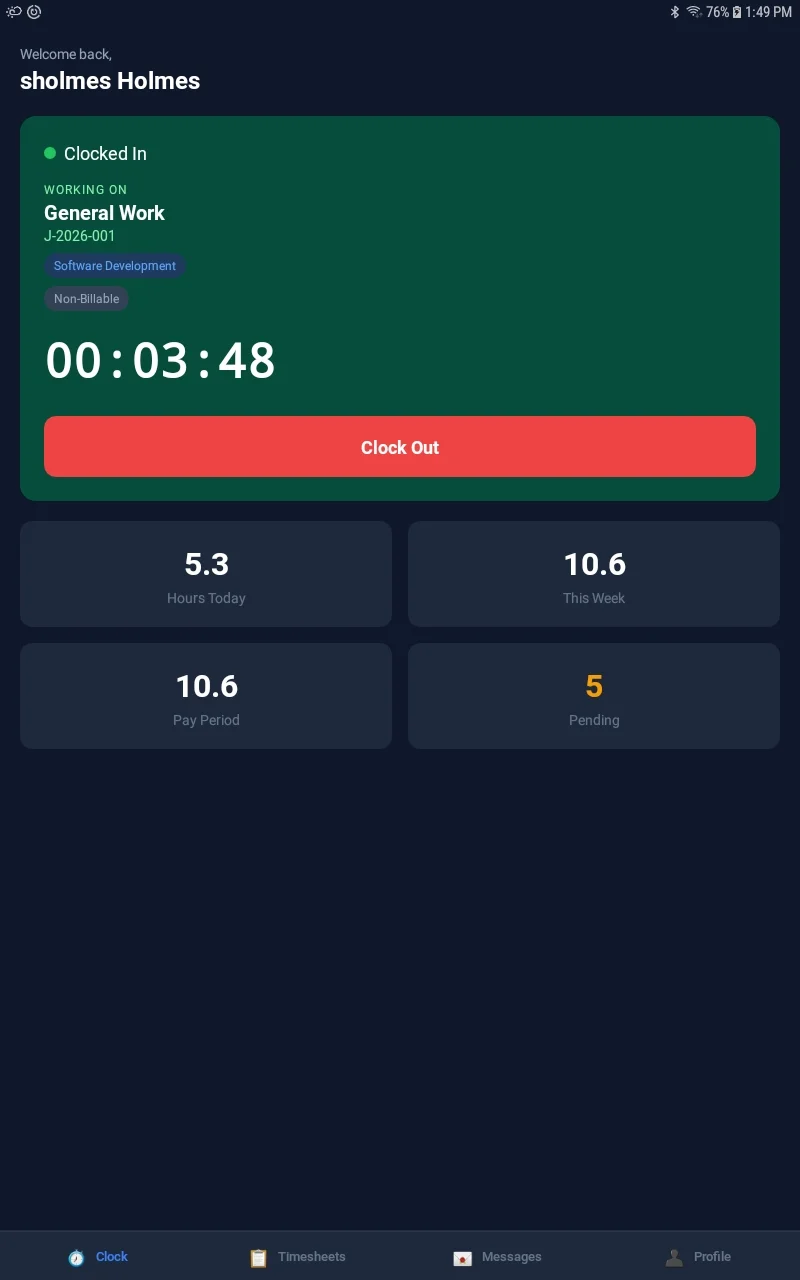
Your crew walks into the trailer, taps a PIN, and they're on the clock. No personal phones, no app-store hassles, no "I left it at home." In BizyClock, kiosk mode is part of the Team plan.
2. Job costing tied to labor hours
If your payroll swings from $48,000 in January to $110,000 in July, you want to know which jobs the hours went to. Good job costing turns time data into bid intelligence — so next season's estimates are tighter.
3. A bill that stays predictable as you hire
Watch two things: the per-seat rate and whether there's a base fee on top of it. Most time clocks have both — QuickBooks Time adds a $20/mo base fee, ClockShark $40, Buddy Punch $19. BizyClock charges per active user with no base fee — Team is $8/user/mo and Business (which adds job costing) is $10/user/mo. A solo operator can start at $6/mo flat. Note all prices are in USD
A real pricing example for a 12-person crew
Tool | Est. monthly cost (12 users) | Pricing model |
|---|---|---|
QuickBooks Time (Premium) | ~$140 | $20 base fee + $10/user |
BizyClock (Team) | ~$96 | $8/user, no base fee — includes kiosk |
BizyClock (Business) | ~$120 | $10/user, no base fee — adds job costing & AI |
OnTheClock | ~$53 | $5 base fee + $4/user |
ClockShark (Standard) | ~$148 | $40 base fee + $9/user |
The takeaway isn't a perfect dollar-for-dollar match — it's that dropping the base fee and keeping a lower per-seat rate adds up as your crew grows. Confirm current rates with each vendor before you decide.
What job costing looks like in practice
Here's a scenario we hear about often. A 14-person siding crew tracks hours just fine, then runs payroll and finds the week came in well over the bid labor budget. The hours were accurate — they just weren't tied to a job, so no one could see that the bulk of them went to one project that was already behind schedule.
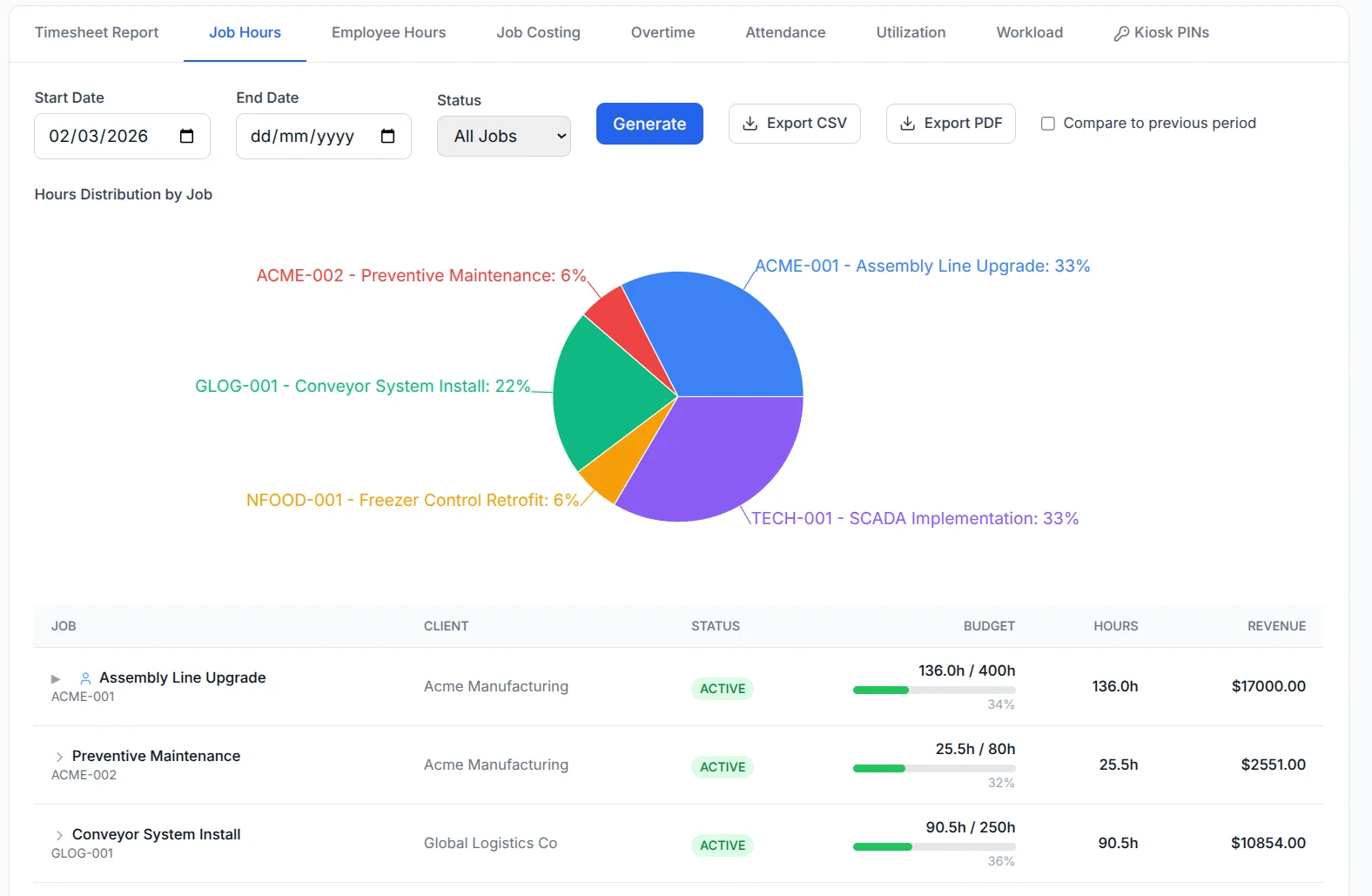
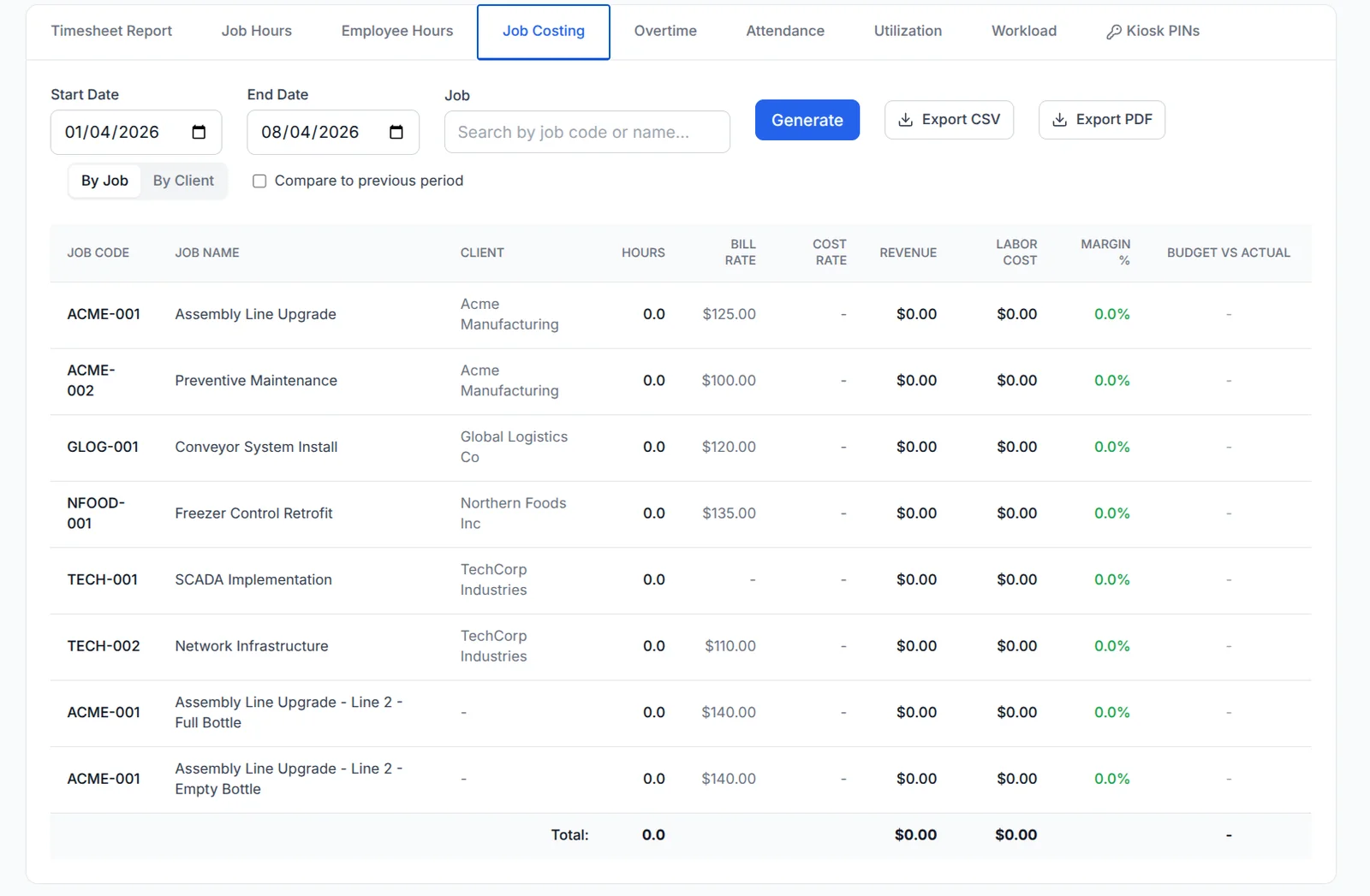
Tie hours to jobs and that blind spot disappears. You see labor cost by job as the week unfolds, catch the overrun while you can still do something about it, and use the real numbers to sharpen the next bid.
When BizyClock is the right choice
BizyClock fits contractors who want a clean, purpose-built tool:
PIN-based kiosk mode for shared devices (Team plan and up)
Clock in by job or task
Reports that show labor cost by job (Business plan)
Payroll-ready PDF & CSV exports
A lower per-seat rate with no base fee
A 30-day money-back guarantee
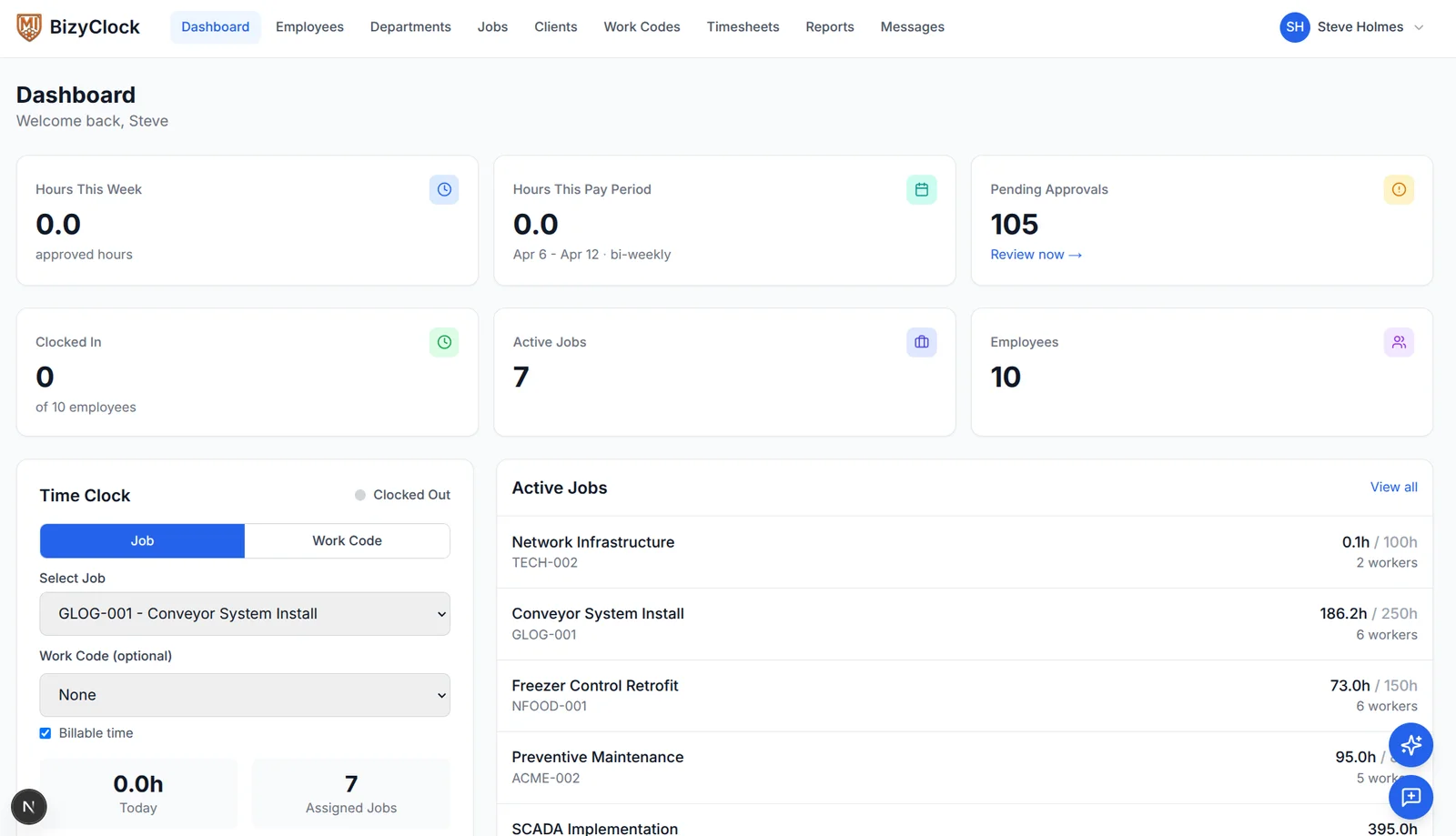
What BizyClock doesn't do: HR management, benefits administration, mileage reimbursement, or complex scheduling. If those are must-haves, a broader platform is probably a better fit. See the full feature list for what's included on each plan.
When OnTheClock or Connecteam is the better choice
OnTheClock is ideal if your priority is dead-simple GPS clock-in at the lowest cost. At about $5/mo base plus $4 per user — roughly $53/mo for a 12-person crew — it's one of the cheapest options here. It's quick to set up and the interface stays clean. The trade-off is less depth around job costing and payroll integrations.
Connecteam makes sense when you want more than time tracking. Dispatch, forms, shift reports, training, and team chat all live in one app, so it can replace three tools for a contractor consolidating field operations. It even has a genuinely free plan for up to 10 users. Two things to watch: paid plans are billed per "hub," so stacking Operations, Communications, and HR means three separate subscriptions — and if all you need is a time clock, it's more than you'll use. Crews that don't touch the chat and forms tend to gravitate back to a simpler tracker.
How to switch without losing payroll data
Most contractors worry about losing historical hours. The switch is usually simpler than expected:
Export your current time reports as CSV.
Set up the new tool with your jobs and tasks.
Run both systems for one pay period.
Compare totals, then cut over.
Train the foreman first — he trains the crew.
A clean export and a one-week parallel run takes most of the risk out of it.
Frequently asked questions
What is the best QuickBooks Time alternative for contractors?
For a crew focused on kiosk clock-in, job costing, and a lower per-seat bill, BizyClock is a strong QuickBooks Time alternative. OnTheClock is the best low-cost GPS option, and Connecteam is best for all-in-one field operations.
Is QuickBooks Time worth it for small businesses?
It's worth it if you already run payroll inside QuickBooks Online and don't mind a base fee plus per-user pricing. For field-first contractor crews, a simpler tool is often cheaper and easier for crews to actually use.
Why is QuickBooks Time so expensive?
QuickBooks Time Premium charges a $20 monthly base fee plus a per-user rate that increased 25% (from $8 to $10 per employee) in July 2026. For a growing crew, those per-user fees on top of the base fee add up faster than alternatives with no base fee. See QuickBooks Time pricing for current plans.
Can I export time data from QuickBooks Time?
Yes. QuickBooks Time supports CSV exports of time entries, and most alternatives can import those entries or use them during a side-by-side transition.
Does BizyClock integrate with QuickBooks?
BizyClock exports payroll-ready reports your accounting tool can import, and direct integrations are expanding. Check the features page for the current list.
What is the cheapest QuickBooks Time alternative?
Connecteam has a genuinely free plan for up to 10 users. Among paid options, OnTheClock is the lowest cost (about $53/mo for a 12-person crew), and BizyClock typically costs less than QuickBooks Time once you factor in QuickBooks Time's $20 base fee and its July 2026 per-employee increase.
See it on your own jobs
If QuickBooks Time is costing more than it should, give a contractor-first alternative a try. Set up a kiosk, invite your crew, and see how much simpler payroll week can be — backed by a 30-day money-back guarantee, so there's nothing to lose by trying it on real jobs.