Free Weekly Timesheet Template
One week per page — print it and fill it in, or type into the Excel copy.
Best for: Hourly and salaried employees submitting time weekly
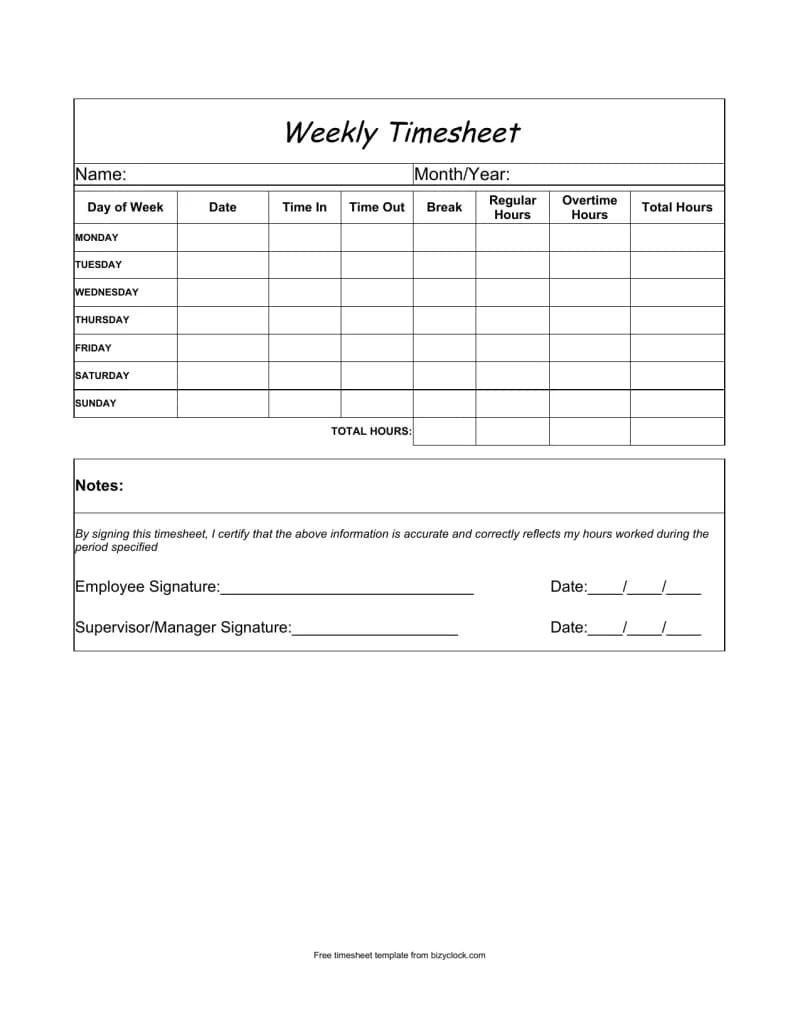
A clean one-page weekly timesheet, in two formats. Print the PDF and let people write in their hours on a clipboard, or open the Excel copy and type — there the Total Hours column works out each day from time in, time out, and the unpaid break. Monday to Sunday rows, a notes box, a signed certification statement, and employee and supervisor signature lines.
What's included
How to use it
- Print the PDF as-is — it fits one page, so a week per employee is a single sheet.
- In the Excel copy, enter times as HH:MM and the break in hours (0.5 = 30 minutes); Total Hours works itself out.
- Regular and Overtime are yours to fill in — overtime rules vary by state, so we do not split them for you.
- Have the employee and supervisor sign and date the bottom to approve the week.
Ready to ditch the spreadsheet?
BizyClock tracks time automatically — clock in from a phone or shared kiosk, approve timesheets, and run payroll reports without a single formula.
Get the free template
Tell us where to send it and we’ll email you both the printable PDF and the Excel copy.
More free timesheet templates
Biweekly Timesheet Template
Two weeks on one page — matches the most common US pay period.
Monthly Timesheet Template
A full month of daily hours — 31 rows, so it fits every month.
Project & Job Costing Timesheet
Multi-tab workbook: pick jobs & work codes from dropdowns, track mileage and out-of-town days.