Engineering companies
Time tracking for engineering companies
Track every billable project hour, measure your team’s utilization, and cost labor to the project — from office and field alike.
Published · Updated

For an engineering firm, staff time is the product, and it splits across projects, phases, and the occasional site visit. Without accurate hours per project, billing leaks and you cannot see whether a project is on budget. BizyClock captures billable time across web, mobile, and field, tags it to the project and phase, and turns it into utilization and job-costing reports — so you bill accurately and know where each project stands.
The engineering firm’s time challenge
- Billable hours reconstructed from memory at the end of the week.
- No clear read on utilization across the team.
- Project labor cost that is invisible until the project closes.
- Time scattered across the office, client sites, and the field.
How BizyClock helps engineering firms
Capture billable time anywhere
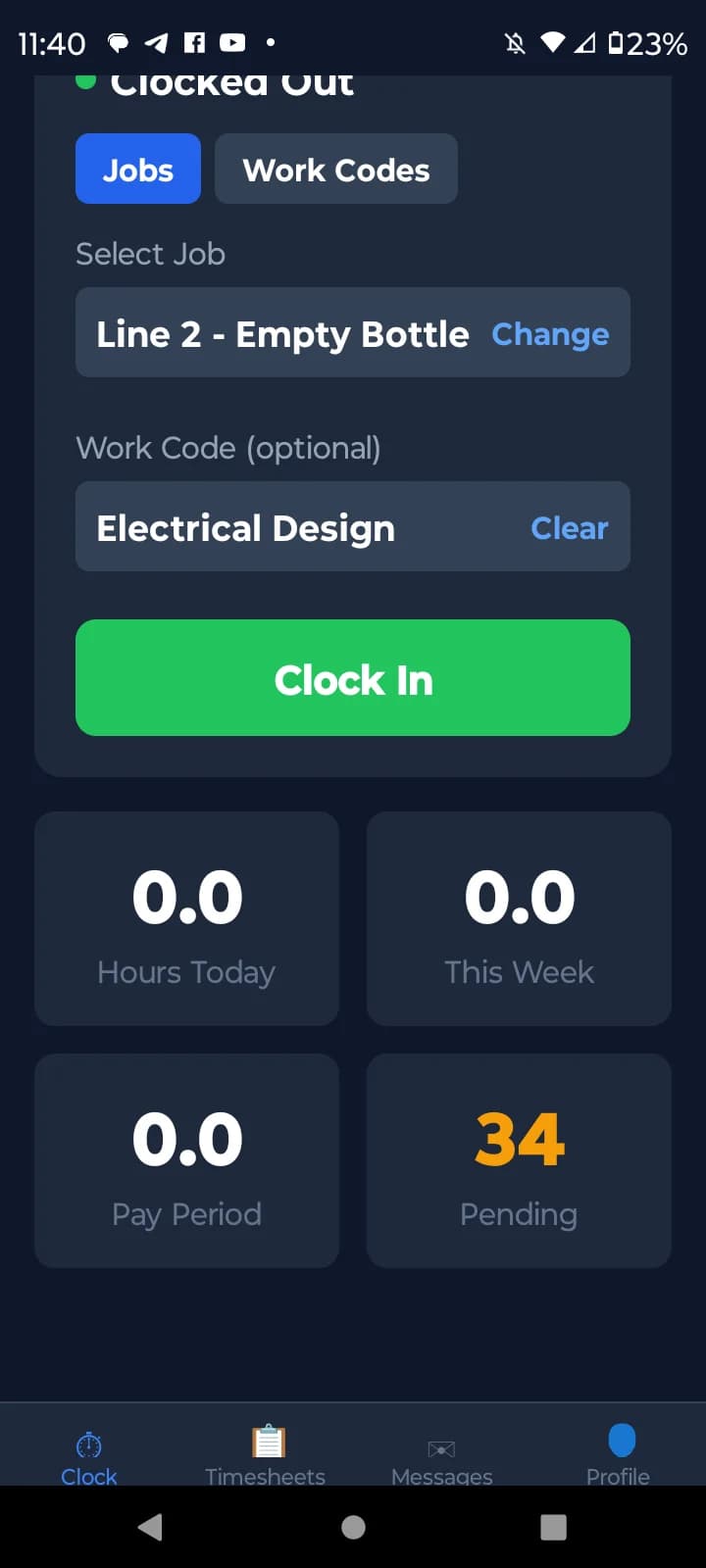
Staff log time from the web at their desk or the mobile app on a site visit, with optional GPS capture when work happens in the field.
Cost labor to each project
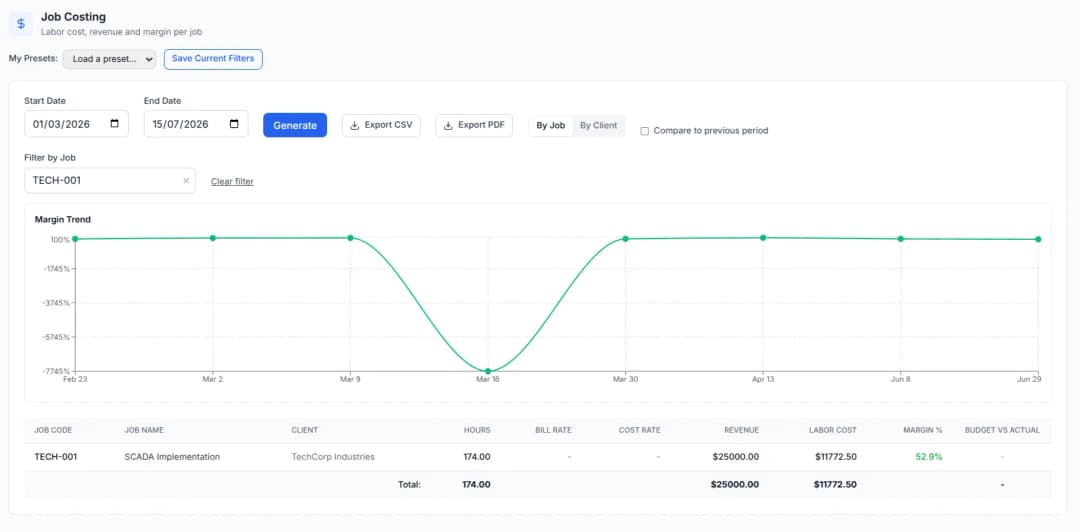
Hours tag to the project and phase, so labor cost rolls up per engagement and you can watch actual hours against the budget.
Utilization at a glance
Compare billable hours to total working time to see your team’s real capacity and protect against both overcommitting and underbilling.
Clean exports for billing and payroll
Export decimal hours per project and person to PDF or CSV, ready for invoicing, payroll, and your accounting workflow.
Engineering firms fit the Business plan for job costing, budgets, and utilization reporting across the team, with the Team plan covering shared clock-in and approvals if you do not need project costing yet. GPS capture for site visits is available on every plan and is owner-controlled and off by default. Every plan carries a 30-day money-back guarantee, and a one-time Lifetime Deal is available for a limited time.
See BizyClock in action
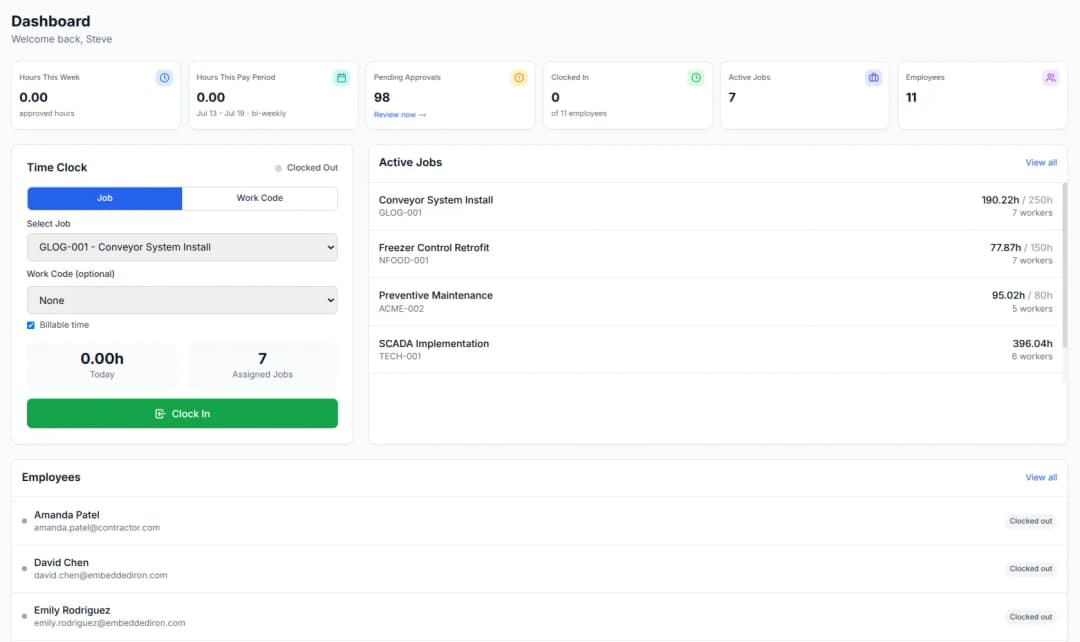
See who is on the clock
A live view shows who is working right now and how hours are adding up across the team — visibility without watching anyone work.
Cost labor to each project
Hours tag to the project and phase, so labor cost rolls up per engagement and you watch actual hours against the budget.
Log field time on site visits
Staff clock in from a client site on the mobile app with optional GPS capture, so field time is recorded against the project just like office time.
Free tools you might like
Timesheet Calculator
Add up a full week of clock-in/clock-out times with lunch breaks and overtime — the free timecard & work hours calculator.
Payroll Hours Calculator
Turn a week of hours into gross pay with overtime and clean decimal hours ready for QuickBooks or Gusto.
Employee Cost Calculator
See the true cost of an employee — wages plus payroll taxes, workers’ comp, benefits, and overhead — as a fully-loaded hourly rate.
Engineering firms time tracking — FAQ
How do engineering firms track billable hours?
Staff log time against each project and phase — from the web or the mobile app — and BizyClock totals it per period for billing and utilization. Because hours are captured as work happens, billing runs on a real record rather than a week-end reconstruction.
Can I track labor cost per project?
Yes. On the Business plan, hours tagged by project and phase roll up into job-costing reports with budget-vs-actual, so you can see labor cost per engagement and whether it is on budget.
How do I measure utilization?
Utilization is billable hours divided by total available hours. Because BizyClock captures both billable project time and overall working time, that ratio comes straight from your real data on the Business plan.
Can engineers log time from a client site?
Yes. The mobile app lets staff clock in from a site visit with optional GPS capture, so field time is recorded against the project just like office time.
Bill accurately and know where every project stands
BizyClock captures billable engineering time across office and field, costs it to each project, and turns utilization into a number — so you bill with confidence and catch budget overruns early.
30-day money-back guarantee. No questions asked.